Ribbit Rogue Controls
Inspect first, reroll second, spend third.
Ribbit Rogue is a slow game that feels fast when you skip inspect. Steam lists full controller support, DualShock and DualSense prompts, camera comfort, color alternatives, custom volume, and “playable without timed input.” That last tag is the point: nothing here requires a twitch. The skill is looking. This page is the input map so combat is not a scavenger hunt.
Mouse and keyboard
These bindings come from the Steam demo, Next Fest VODs, and on-screen prompts in official screenshots.
- Left click — select a die to roll, confirm a face, pick a reward, confirm a forge edit.
- Right click — reroll the hovered die. This is the most important mouse button in the game.
- Shift (left Shift in the Ultra C playthrough) — hold while hovering an enemy or a die to see actions, abilities, and statuses.
- Ctrl — screenshots of the Rapier net and the Claymore net show a Ctrl Info chip on the unfolded die. Use it when the icons are new.
- Hover — enemy intents, relic tooltips, shop prices, and the crit / reroll meters in the HUD all yield to patience.
July 2026 patch 0.4.2 reduced the time before dice info appears on hover, increased the controller deadzone to stop snapback, and allowed D-pad navigation. If info feels instant now, that is why. If a pad still snaps, raise the deadzone in Steam’s controller overlay before you blame the pool.
Controller
Steam 1.0 is built to play on a pad. The developer has said Steam Deck is a favorite way to play. Face buttons confirm. A shoulder or face-button hold maps to inspect — if a prompt on your build says otherwise, trust the on-screen chip, not this paragraph. D-pad moves the highlight across the four rolled dice and across shop rows. Right stick or a dedicated button should reroll; if your layout does not, open Steam Input.
Color alternatives and camera comfort are in the Steam feature list. If you struggle to separate rarity borders (blue, purple, green, orange in screenshots), turn on the color option before you start a Depth run. Custom volume matters because battle music loops; 0.4.2 also fixed an audio hitch when switching scenes on the Playdate ancestor, and the Steam port kept iterating on that.
Steam Deck and handhelds
A comment on the official demo trailer asked about Steam Deck. King Krab Games answered that it works well. Play it docked or handheld; the UI is large pixel art, not a 4K MMO. Trackpads can replace mouse hover for inspect. If the right-click reroll does not bind cleanly, map a rear paddle to reroll and never think about it again.
There is no Mac or Linux listing on the store page. Windows is the supported OS. System requirements are light: 2.0 GHz CPU, 2 GB RAM, 1 GB VRAM with OpenGL 3.0 (2.1 with ARB extensions). The Steam client itself requires Windows 10 or later as of 2024, regardless of the XP-era minimum string still on the page.
Combat HUD literacy
Inputs only matter if you know what you are hovering:
- Top-left relic row — your run-changing toys.
- Enemy HP and intent icons — swords, shields, status pips.
- Left status column — what is already on you.
- Bottom die row — the four (or more, visually) dice you are about to spend, with rarity-colored borders.
- Bottom bar — HP, crit percent, rerolls, bag.
If you cannot hit Shift on an enemy in under a second, practice in the first fight of a run, not on the boss. The getting started page assumes you already know these keys. This page exists so that assumption is fair.
Forge and shop inputs
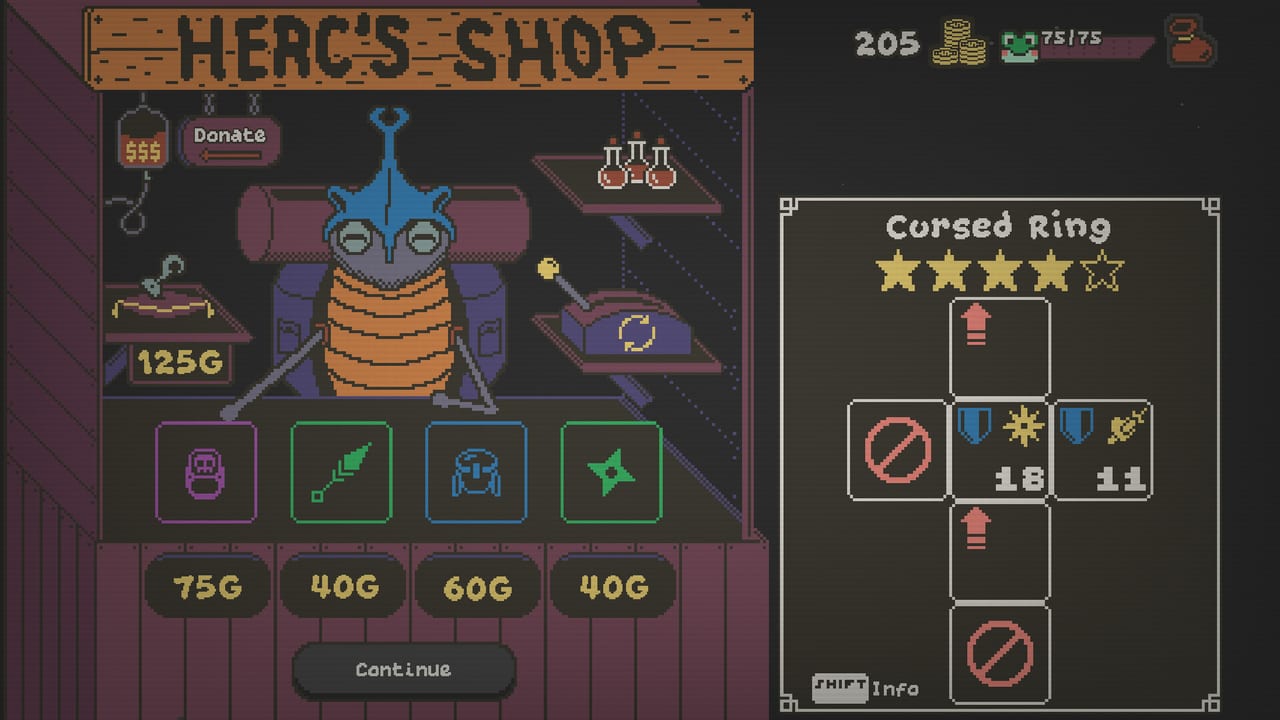
Forge screens use Cancel and Continue. Continue commits the three upgrade points or the side swap. Cancel is free; use it. Shop screens use Continue after you buy or after you decline. Donate exists at Herc’s Shop — it is a gold sink with an achievement scent (Charitable Croaker), not a required mechanic. Skip on reward chests is a click that prints +20G; it is an input with a strategy, covered in map events.
Accessibility notes
Playable without timed input means you can think. Color alternatives help rarity borders. There is no official one-button mode. If a status icon is unreadable, open the in-game manual or the options overlay the way Playdate players opened the crank-era manual — the Steam port still expects you to look up symbols once. After that, the dice tier list is easier because you can actually see the faces.
Rebind in Steam Input if a default fight you. Do not fight the defaults in a boss. The swamp is already enough.
Frequently Asked Questions
Quick answers to the most common questions.
How do I reroll a die?
Right click the die on mouse. On controller, use the reroll bind (remap a paddle on Steam Deck if needed). Rerolls refresh each turn.
How do I see what an enemy will do?
Hold Shift and hover the enemy or the die. Patch 0.4.2 made the hover tooltip faster.
Does Ribbit Rogue support controllers?
Yes. Steam lists full controller support, DualShock, DualSense, and D-pad navigation. The developer recommends Steam Deck.
Is there a Mac version?
The Steam page lists Windows only. The developer has mentioned Mac as possible later, not as a current platform.